Drop yourself into a breaking-news moment — perched on the Empire State Building’s antenna with a giant “AI IS CHANGING THE WORLD” flag. Rebrand a live news lower-third in GPT, composite your hero frame, then let Seedance 2.0 fly a cinematic drone orbit around you, complete with a full news voice-over.
GPT ImageSeedance 2.0Broadcast Edit3 Steps
Scroll to explore
GPT ImageSeedance 2.0Broadcast EditYellow FlagEmpire StateDrone OrbitAI Is Changing The WorldNews Voice-OverGPT ImageSeedance 2.0Broadcast EditYellow FlagEmpire StateDrone OrbitAI Is Changing The WorldNews Voice-Over
Overview
THE CONCEPT
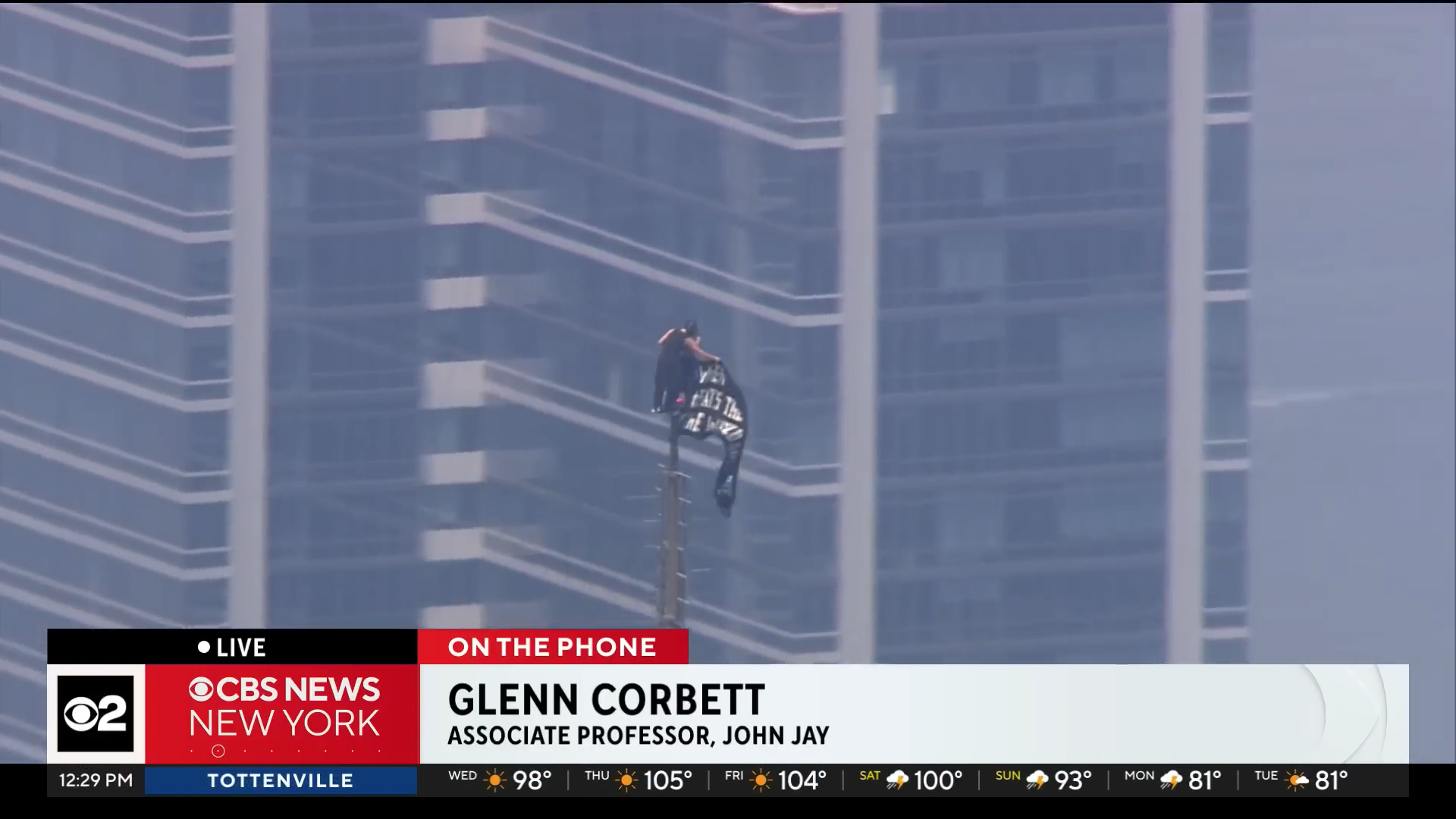
This one fakes a live TV news moment — you, standing on the antenna at the very top of the Empire State Building, holding a massive yellow flag that reads “AI IS CHANGING THE WORLD.” You start from a real climbing-news frame, rebrand the on-screen broadcast graphics in GPT so the lower-third says wade pixels, composite your own face and flag into the shot, then hand that single image to Seedance 2.0, which flies a smooth cinematic drone orbit around you and reveals the whole New York skyline — with a breaking-news voice-over to sell it. Three steps, one unforgettable hero clip.
The Workflow
THREE STEPS
01
Base · Grab A Frame
GRAB THE BASE FRAME
Take a screenshot from the original climbing news clip — a clean, straight-on frame of the figure on the antenna. That still is the base plate you’ll rebrand and composite onto. Grab the yellow flag graphic below so you’ve got it ready for the composite.
Open GPT (image editing) and amend the on-screen broadcast lower-third first — recolour it, swap in your name and headline, fix the weather numbers, and replace the channel logo with yours. Keep the shape and aspect ratio exactly so it still reads as a real live-news overlay. Here’s the exact prompt used:
GPT Prompt — Rebrand The Banner
amend the banner without changing its shape, make it yellow, change the text to "wade pixels" "AI is changing the world" change the numbers of the weather to "23" and "7" replace the "2" logo with the logo attached here, dont change the aspect ratio
03
Composite + Animate · Seedance 2.0
COMPOSITE, THEN ANIMATE
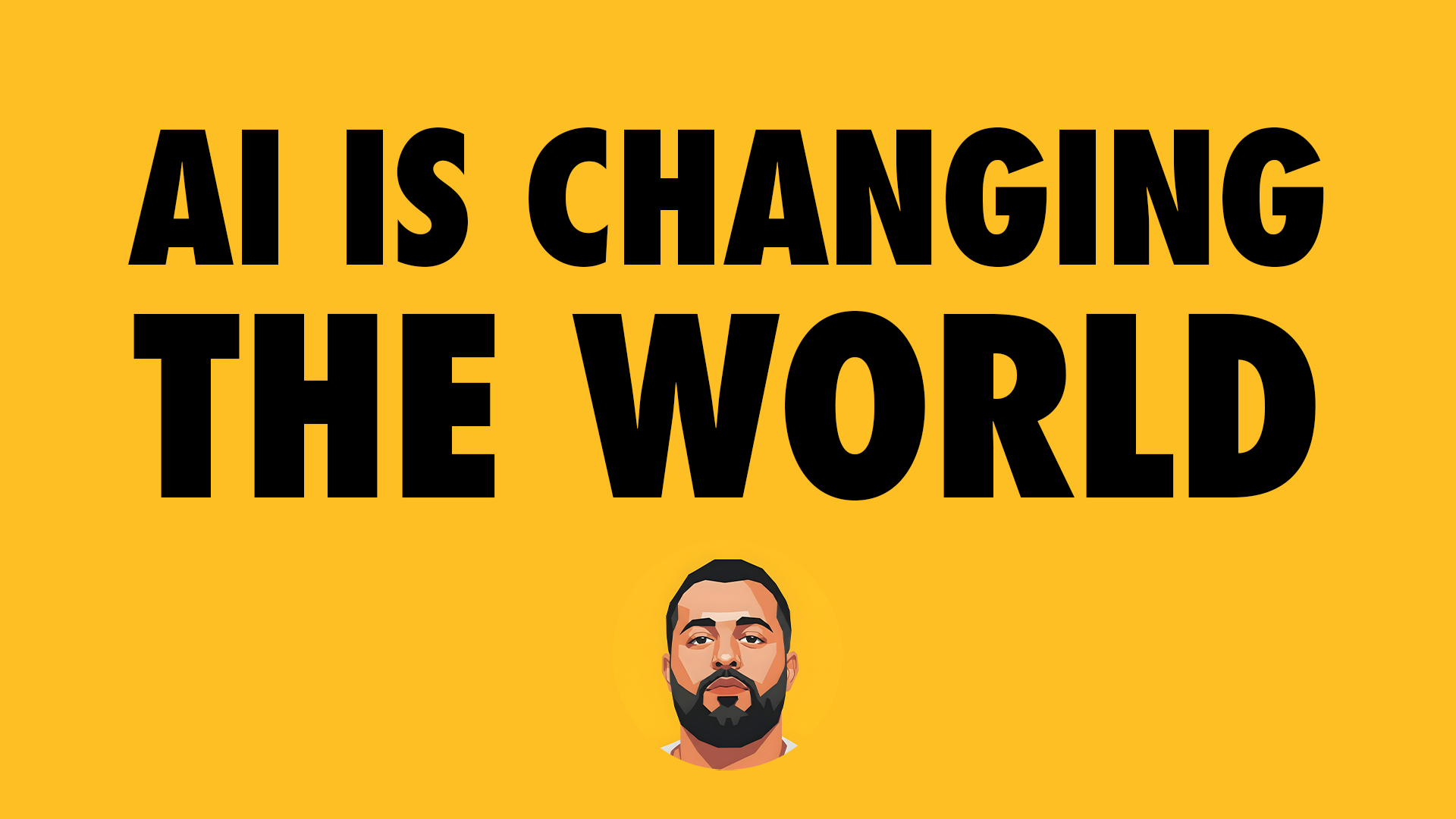
Take the amended image and replace the character with your image, then add your flag design or text into the frame. Download the finished still. Grab the flag/text asset below if you want the one used here.
Now open Seedance 2.0 on any platform you like, upload your finished image as the first frame, and paste the prompt below. It orbits a cinematic drone around you, reveals the skyline, and lays in the breaking-news voice-over.
Seedance 2.0 Prompt — Drone Orbit
Use the uploaded image as the first frame and preserve it with near-perfect identity consistency. Maintain the exact facial features, beard, hairstyle, body proportions, clothing, pose, yellow flag design, TV broadcast overlay, typography, weather bar, colors, lighting, haze, and overall composition. The character remains standing on the antenna mast at the absolute summit of the Empire State Building. The massive yellow flag reading "AI IS CHANGING THE WORLD" naturally waves in the strong high-altitude wind without changing its graphics or proportions.
Begin with a realistic long-lens live news broadcast shot matching the uploaded frame. A cinematic FPV drone then starts a slow, smooth clockwise orbital movement around the character while maintaining a constant radius and altitude. As the drone rotates, gradually reveal the unmistakable architecture of the Empire State Building beneath him, emphasizing that he is standing on its iconic antenna hundreds of meters above Manhattan.
Continue the orbit for approximately 180–270 degrees, revealing an expansive New York skyline in every direction: Midtown skyscrapers, Central Park in the distance, the Hudson River, East River, One World Trade Center on the horizon, and dense city streets far below. The movement remains elegant, stabilized, and premium, with no sudden acceleration or shaky FPV motion.
Use physically accurate wind simulation. The flag stretches dramatically in the wind with realistic cloth dynamics. The character stays perfectly balanced, barely moving except for subtle breathing, slight shirt movement, and natural body stabilization caused by the wind. Preserve his confident stance throughout.
Lighting is bright late-afternoon daylight with soft atmospheric haze, cinematic volumetric depth, realistic reflections on surrounding glass towers, and subtle heat shimmer above the city. The enormous scale of the height should be emphasized through realistic parallax as nearby buildings move faster than the distant skyline.
The drone ends slightly lower than its starting position, looking upward toward the character, making him appear monumental against the New York skyline while the yellow flag dominates the composition.
Audio
Natural live TV ambience with distant city sounds, high-altitude wind, subtle flag flapping, helicopter ambience far in the distance, and professional broadcast compression.
TV News Anchor Voice-Over (American English, calm but excited breaking-news delivery):
"We're following another unusual scene unfolding over Midtown Manhattan... Wade is making the news once again. After the incredible AI content he's been delivering to millions of viewers around the world, he's back today with yet another jaw-dropping stunt. This time, standing atop the Empire State Building's iconic antenna, holding a bold message for everyone below: AI is changing the world."
The voice-over should begin immediately as the drone starts its orbit and naturally finish just before the shot reaches its final hero angle.
Style
Ultra-realistic aerial cinematography, IMAX documentary quality, Netflix production value, AAA CGI integrated seamlessly with live-action realism, photorealistic cloth simulation, ray-traced lighting, physically accurate atmosphere, cinematic depth of field, 8K detail, telephoto-to-cinematic lens transition, stabilized drone movement, zero surreal effects.
Negative Prompt
No additional people, no extra flags, no changes to the face or clothing, no logo distortion, no text changes, no wobbling antenna, no camera shake, no fisheye distortion, no unrealistic drone speed, no exaggerated wind physics, no fantasy elements, no explosions, no lightning, no birds, no helicopters near the subject, no color shifts, no motion blur artifacts, no object morphing, no duplicate limbs, no low-quality textures, no AI flicker, no floating character, no changing the Empire State Building architecture, and no changing the TV broadcast graphics or lower-third overlay.
Replace the character with your image
Add your flag design or text
Upload to Seedance 2.0 as frame one
Paste the prompt — and enjoy
Pro Notes
PUSH IT FURTHER
📐
Editing
KEEP THE ASPECT RATIO
When you rebrand the banner in GPT, lock the shape and aspect ratio. The moment the lower-third warps, it stops reading as real broadcast graphics.
🪪
Identity
USE A CLEAN FACE PLATE
Composite with a sharp, well-lit photo of yourself so Seedance can lock your identity as the first frame — blurry inputs drift during the orbit.
🏳️
The Flag
DON’T TOUCH THE GRAPHICS
The prompt tells Seedance to keep the flag artwork and overlay fixed. Bake the text into the flag in the still so the wind only moves the cloth, not the words.
🎙️
Timing
LET THE V.O. DRIVE
The voice-over is timed to start as the drone begins its orbit and land on the hero angle. Trim your export so the final beat hits on that last reveal.