A two-tool workflow that turns three flat stills into a full paper-cut motion graphics sequence. Generate the scenes in GPT Image 2.0, animate each one in Seedance 2.0, stitch the clips together — and you've got a premium handcrafted broadcast-quality piece. Six prompts, six steps, one cohesive aesthetic.
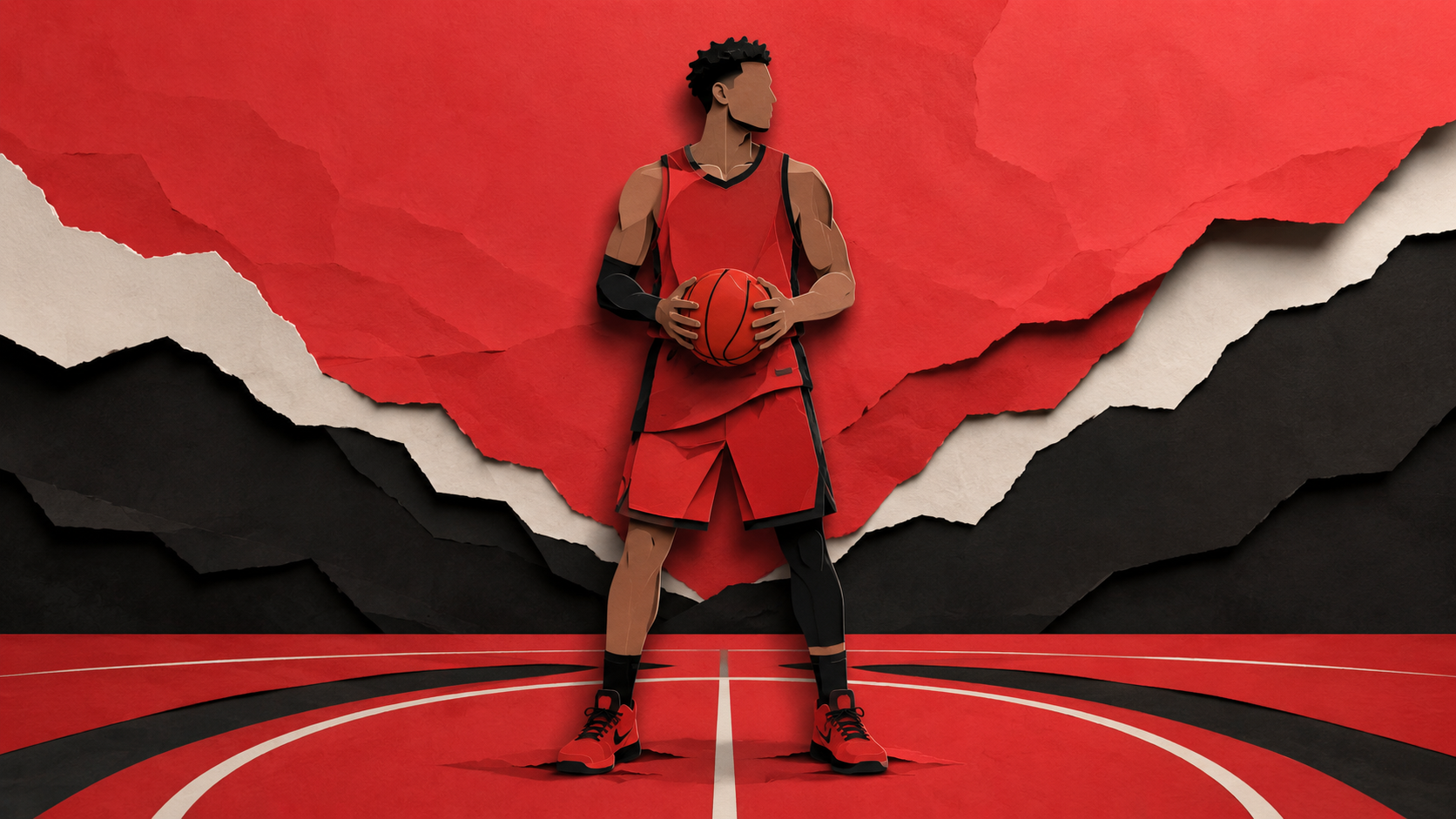
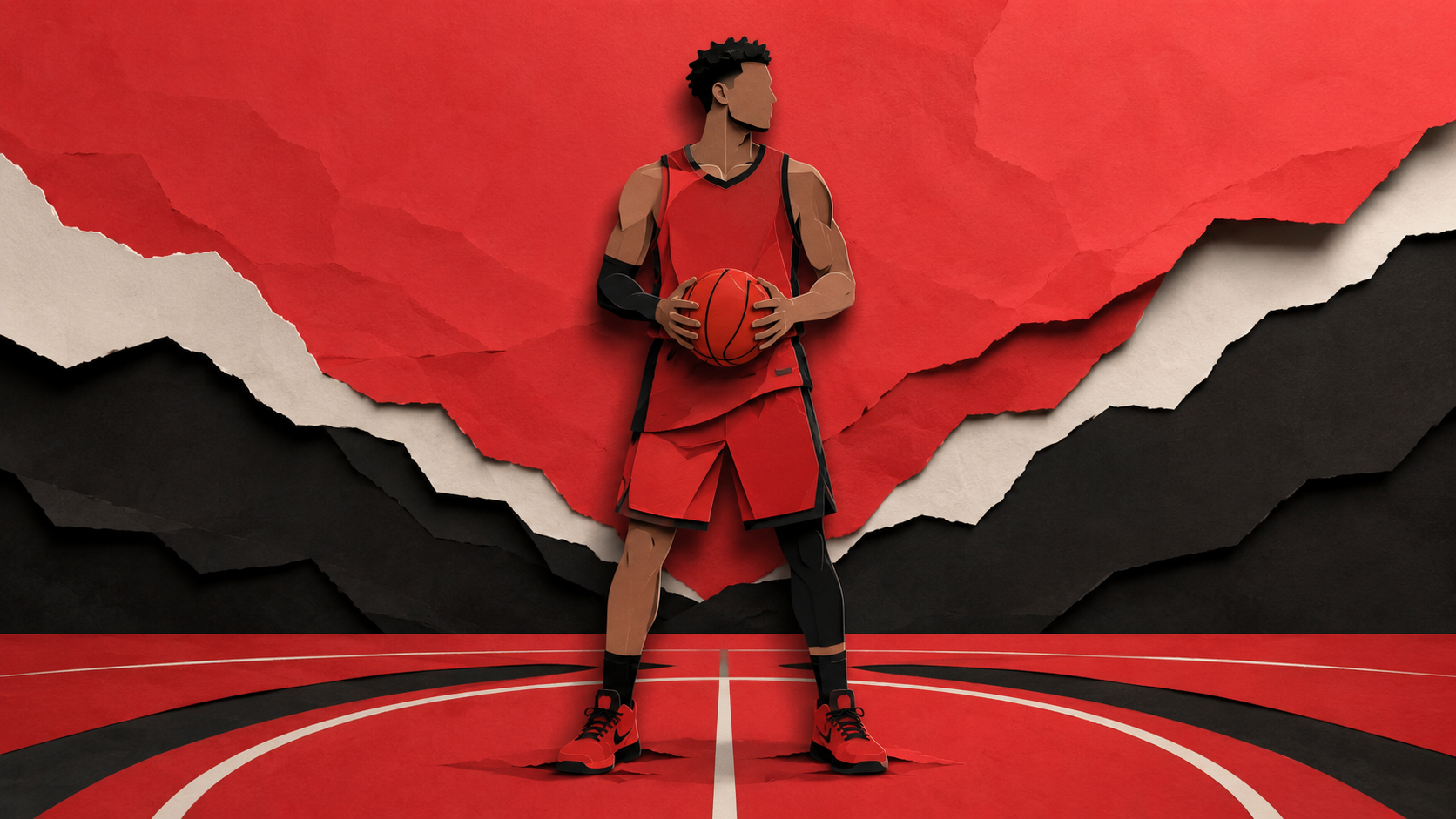
A two-tool workflow that splits the work cleanly: GPT Image 2.0 handles the three still frames (a basketball player, a coach board, a court & rim — all in a torn paper-cut aesthetic), then Seedance 2.0 animates each still into a premium handcrafted motion sequence with paper reveals, parallax layers, and broadcast-quality finishing. Drop the three animations into your editor and you've got a complete motion graphics piece. The hero above is the still frame from Scene 1 — the rest of the system is below.
The Workflow
SIX STEPS
Two clean phases: generate three stills in GPT Image 2.0, then animate each one in Seedance 2.0. Each scene has a paired image prompt and video prompt below — keep them matched.
01
Phase 1 · Image Generation
GO TO GPT IMAGE 2.0
Open GPT Image 2.0 — either inside ChatGPT directly or through any platform that hosts it (Higgsfield, fal.ai, any AI studio with GPT Image 2.0 access). It's the model behind the three still frames because it nails clean editorial paper-cut aesthetics and keeps the look consistent across multiple separate generations, which is what we need: three frames, one cohesive visual identity.
Open a platform with GPT Image 2.0
Or use ChatGPT directly
Set output to 16:9 landscape
02
Phase 1 · Three Scene Stills
GENERATE THE SCENES
Run each of the three prompts below in GPT Image 2.0. Each one produces a 16:9 paper-style still in the same red/black/cream palette — a player, a coach board, and a court & rim. Keep the prompts intact and run a couple of passes per scene; the cleaner the still, the better the animation in Phase 2.
Scene 1 — Player Character
create a motion graphics 16:9 animation, having a basketball player character standing holding the ball in his hands wearing red and black, with no visible logos, paper style 16:9
Scene 2 — Coach Board
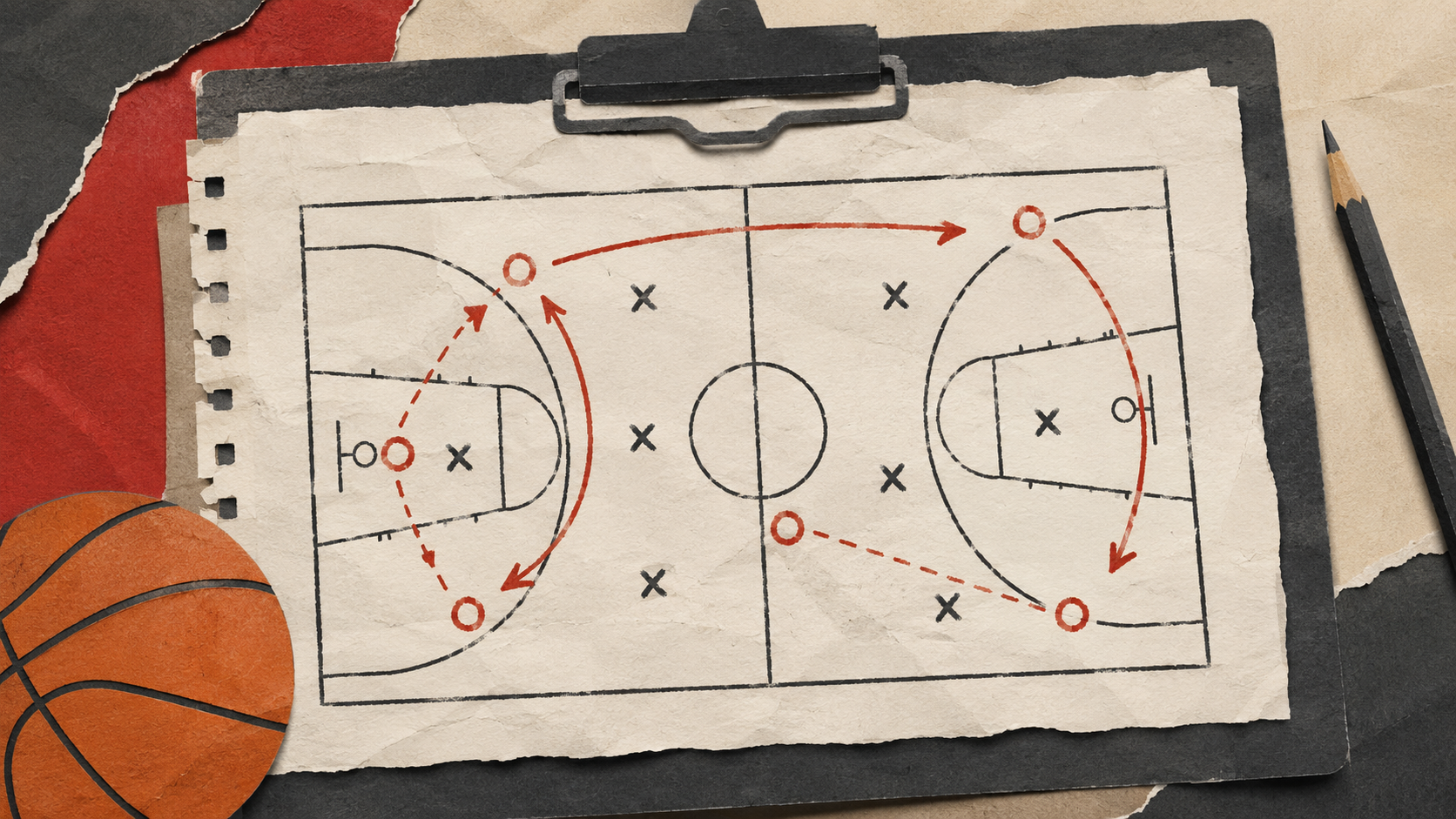
create a motion graphics 16:9 animation, having a coach board with game plan, with no visible logos, paper style 16:9
Scene 3 — Court & Rim
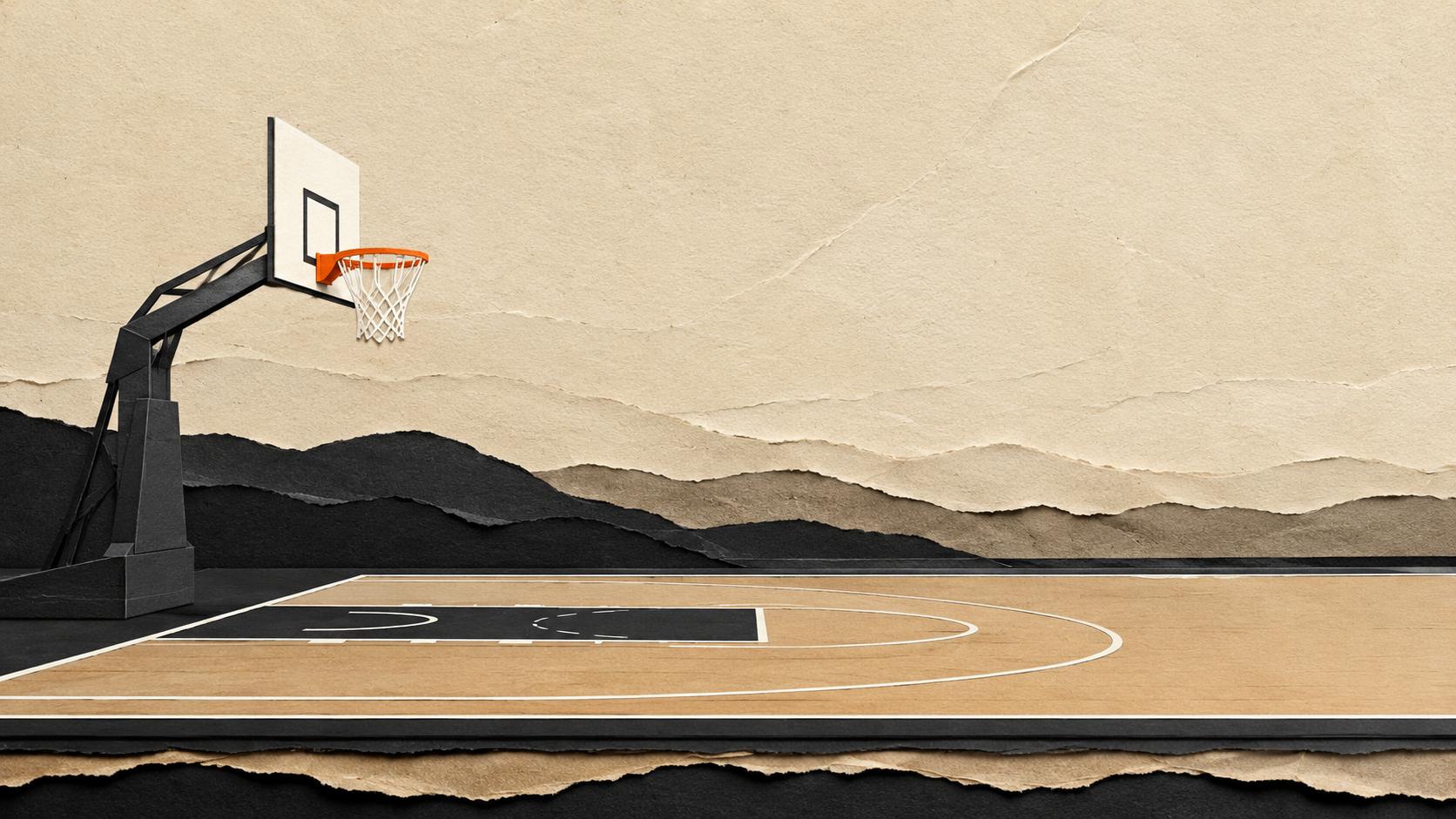
create a motion graphics 16:9 animation, having a basketball court design side view with a basketball rim, with no visible logos, paper style 16:9
Run all three prompts
Pick the cleanest pass per scene
Keep the palette consistent
03
Phase 1 · Export
DOWNLOAD THE STILLS
Save the three final stills locally. You'll be uploading each of them into Seedance 2.0 in the next phase as the visual reference for the animation, so keep them in their highest resolution. Name them clearly (scene_01, scene_02, scene_03) — Phase 2 maps each still to its matching video prompt.
Want to skip the generation? Grab the three reference stills below — these are the exact images the Phase 2 animation prompts were tuned against.
Open your preferred platform with access to Seedance 2.0 (Higgsfield is the easy default). Seedance 2.0 is what turns the three flat stills into proper motion graphics — paper reveals, layered parallax, cinematic camera moves — without redesigning the artwork you generated in Phase 1.
Open a platform with Seedance 2.0
Start a new video generation
Confirm image-to-video is enabled
05
Phase 2 · Three Scene Animations
ANIMATE EACH SCENE
For each of the three scenes, upload the matching still as the reference image and paste the matching prompt below. Each prompt is written to preserve the artwork exactly and add motion only — paper reveals, parallax, camera moves, lighting drift. Scene 1 still → Scene 1 video prompt, and so on. Don't mix the pairings.
Scene 1 — Player Animation
Input: Use the attached image as the exact visual reference. Preserve the basketball player's design, pose, jersey, basketball, layered torn-paper background, court lines, color palette, and handcrafted paper textures exactly as provided. Do not redesign or modify any element. Animate exclusively through premium paper motion graphics and layered paper reveal techniques.
Create a cinematic paper reveal animation where the basketball player is gradually assembled from layered paper pieces.
The animation begins on an empty red paper background with multiple stacked torn-paper layers. The camera slowly pushes forward while the paper layers gently move with elegant 2.5D parallax, creating depth and realism. Small paper fibers and dust float naturally through the air.
A strong gust of wind sweeps across the scene. Large torn paper sheets slide away to reveal additional layers beneath. The basketball court lines unfold from folded cardstock strips, smoothly expanding into place.
Next, the player's silhouette begins appearing from the feet upward. Individual paper pieces slide, rotate, fold, and lock together one after another. The shoes assemble first, followed by the legs, shorts, jersey, arms, neck, head, and hair. Every body part is constructed from separate layered cardstock elements that fit together like precision-cut paper.
The basketball rolls into frame as a flat paper circle before multiple concentric paper layers stack together, transforming it into a dimensional paper basketball. The player's paper hands slide into position and naturally grip the ball.
The torn-paper background continues revealing itself with elegant peeling animations, exposing the red, white, and black paper layers while maintaining handcrafted textures throughout.
Once fully assembled, the player subtly shifts into a confident athletic stance as the camera performs a slow cinematic orbit. Soft shadows between every paper layer create depth while gentle paper movement gives the artwork a handcrafted feel.
The animation finishes with a dramatic hero shot as the camera slowly pushes toward the completed player while the layered paper background continues its subtle parallax movement.
Animation Style
Premium handcrafted paper animation
Layer-by-layer paper reveal
Torn paper transitions
Paper folding and unfolding
Cardstock sliding animation
Layered paper assembly
Stop-motion-inspired movement
Smooth 2.5D parallax
Handcrafted motion graphics
Clean premium sports broadcast aesthetic
Camera
Slow cinematic push-in
Macro paper details
Gentle orbit around the player
Smooth dolly movement
Elegant parallax depth
Broadcast-quality framing
Effects
Floating paper fibers
Paper dust particles
Torn paper reveals
Layer separation
Folding cardstock
Soft camera shake
Paper shadows
Subtle motion blur
Lighting
Soft cinematic studio lighting
High-contrast paper shadows
Warm red rim lighting
Volumetric light
Natural layered depth
Premium handcrafted look
Audio (SFX Only)
Paper tearing, cardstock folding, paper sliding, soft wind, paper snaps, subtle impact sounds, gentle whooshes, and ambient paper movement.
No music. No dialogue. No logos. No text.
Scene 2 — Coach Board Animation
Input: Use the attached basketball strategy clipboard artwork as the absolute visual reference. Preserve the exact clipboard design, paper texture, basketball court diagram, red tactical arrows, X and O markers, basketball, pencil, torn paper edges, colors, proportions, and handcrafted paper-cut aesthetic. Do not redesign, simplify, or modify any element.
Prompt:
Begin with a completely empty handcrafted paper tabletop made from warm textured cardstock under soft cinematic studio lighting. The camera is locked in a perfectly centered top-down view with a very slow cinematic push-in.
A large matte black paper rectangle smoothly slides in from below, forming the clipboard base. Immediately afterward, layered torn paper backgrounds reveal themselves one after another from the corners of the frame, each layer sliding and unfolding naturally while casting realistic paper shadows.
The clipboard body folds upward from flat paper with crisp paper mechanics. The metal clip assembles itself piece by piece, each component snapping smoothly into place with satisfying paper stop-motion style motion.
A blank textured notebook page slides onto the clipboard and settles naturally. Its torn spiral edge unfolds from left to right while subtle paper fibers become visible under the light.
The basketball court drawing gradually illustrates itself as if printed directly onto the paper. Black court lines animate in continuous strokes while maintaining the handmade ink texture.
The tactical play then comes to life. Black X markers stamp onto the page one after another with soft paper impacts. Red O markers appear sequentially. The red play arrows animate as if hand-drawn by an invisible marker, smoothly tracing each route across the court until the complete offensive play is revealed. Dashed passing lines draw themselves naturally segment by segment.
As the strategy finishes, a paper-cut basketball rolls gently into the bottom-left corner with realistic paper rotation before stopping naturally. Simultaneously, the paper pencil slides in from the upper-right corner and settles beside the clipboard.
Throughout the animation, every paper layer exhibits subtle depth and parallax. Torn paper edges gently lift and settle with soft natural movement. Tiny paper fibers and dust particles drift slowly through the air while warm directional light creates soft moving shadows across every layer.
The final frame perfectly matches the attached artwork, with all tactical drawings complete and every object fully assembled. The only remaining motion is slight ambient paper movement, realistic lighting shifts, and delicate floating dust, creating a premium handcrafted motion graphics finish.
Style: Premium paper-cut motion graphics, handcrafted layered paper animation, elegant reveal, realistic paper physics, subtle stop-motion feel, cinematic studio lighting, soft shadows, warm paper textures, ultra-high quality, smooth easing, clean transitions, realistic depth, no surreal effects, no text, no logos, top-down view, 16:9.
Scene 3 — Court & Rim Animation
Input: Use the attached paper-style basketball court artwork as the absolute visual reference. Preserve the entire paper-cut composition, torn paper textures, color palette, court proportions, basketball hoop design, lighting, and handcrafted layered aesthetic. Do not redesign or replace any elements.
Prompt:
Create a premium paper reveal motion graphics animation that brings the static artwork to life while maintaining the handcrafted layered paper aesthetic throughout.
The animation begins with the entire scene completely still, resembling a premium paper collage. A soft cinematic light slowly sweeps across the frame, revealing the texture of the paper fibers and torn edges.
The layered paper landscape in the background subtly separates in depth using smooth parallax movement, with each paper layer floating independently by only a few millimeters to create a handcrafted 3D illusion. The torn paper edges gently lift and settle naturally as if moved by a soft breeze.
The basketball court gradually unfolds from the bottom of the frame, with the paper floor sliding into place layer by layer. Court lines draw themselves smoothly as crisp white paper strips that reveal from left to right.
The basketball hoop assembles through elegant paper-cut animation: the support structure folds upward from flat paper, the backboard flips into position with realistic paper hinges, and the rim smoothly rotates into place. The net unfolds from folded paper strips and gently swings with natural motion.
Throughout the animation, subtle paper shadows shift realistically between layers, emphasizing depth without appearing digital. Tiny paper fibers and dust particles float softly through the air, catching warm directional light.
The camera performs a slow cinematic dolly forward with slight vertical movement, enhancing the dimensional layered-paper effect while keeping the scene elegant and stable. Depth of field remains subtle, focusing on the hoop while preserving visibility of the layered environment.
The animation concludes with the entire paper basketball scene fully assembled and motion settling naturally into a beautiful handcrafted composition, with only slight ambient paper movement remaining.
Style: Premium motion graphics, handcrafted paper-cut animation, cinematic, elegant, realistic paper physics, layered reveal, clean transitions, subtle parallax, soft shadows, warm studio lighting, ultra-high quality, smooth easing, no surreal effects, no extra objects, no text, no logos, 16:9.
Upload each still as the reference
Pair Scene 1 still → Scene 1 prompt, etc.
Run a couple of passes per scene
06
Phase 2 · Final Delivery
DOWNLOAD & ENJOY :)
Export the three animated clips. Drop them into your editor of choice (Premiere, DaVinci, CapCut, anything that handles cuts), sequence them in the order Scene 1 → Scene 2 → Scene 3, and you've got your complete paper-cut motion graphics piece. Add your own audio or stay silent — the prompts are already written to make every clip stand on its own visually.
Download all three clips
Sequence them in your editor
Add audio or keep it silent
Export & share
Pro Tips
PUSH IT FURTHER
🎨
Visual Consistency
LOCK THE PALETTE
The whole piece hangs on the three scenes sharing one visual identity — same red/black/cream palette, same torn paper texture, same handcrafted look. If Scene 2 comes back looking flatter or with different paper tones than Scene 1, regenerate it. Don't move on to Phase 2 with mismatched stills, because Seedance 2.0 will animate what you give it — it can't fix palette drift after the fact.
🔗
Pair The Prompts
DON'T MIX SCENES
Each Phase 2 prompt is written specifically for its matching still — the Scene 2 prompt references a clipboard, the Scene 3 prompt references a basketball hoop. Mixing them (Scene 1 still + Scene 2 prompt) confuses Seedance because the artwork won't match the described scene. Keep the pairings clean: still 01 → prompt 01, still 02 → prompt 02, still 03 → prompt 03.
📐
16:9 Everywhere
KEEP THE RATIO
Both phases are built around 16:9 landscape. If you change the GPT Image 2.0 output to a different aspect, the Seedance animations will need to crop or letterbox, and the carefully designed paper-cut composition gets squeezed. Keep the entire pipeline locked at 16:9 from generation through to final export. Resist switching to vertical even for social — better to crop a finished landscape than to break the source ratio.
🎬
Sequence It
EDIT MATTERS
The three clips are intentionally separate — assembling them in order (player → coach board → court) creates a mini narrative arc: introduce the character, show the plan, set the scene. But you can also remix the order, layer them, slow them down, or interleave them with text overlays. The clips are the raw material; your edit is what turns it into a piece.